 WP Accessibility Knowledge Base
Using headings in the content
What are headings?
Headings are the framework of your content. A good heading should simply and concisely describe the content that follows.
The heading level is important. The H1 (heading level 1) is reserved for the post or page title. For most themes that is the title you give a page or post. Use heading level 2, 3 and 4 to divide your content into meaningful sections, like the index of a book.
Choose heading levels by meaning, not by visible size. This way artificial intelligents (AI), search engines and screen readers (software used by your blind visitors) understand the structure and meaning of the content better.
How to implement headings in development is addressed in the “Frontend code” section Heading structure in theme development.
Best practices for headings summarized
- The H1 (heading level 1) is reserved for the post or page title.
- Use the other headings to divide content into scannable blocks.
- Headings to describe the content below. Do not use a heading just to make the text appear bigger or stand out.
- Don’t skip a heading level from the top down.
- Use a real heading instead of making text only bold or large.
A heading means “this text describes the information that follows it.” There should not be text before the heading that is part of what that heading describes, and there must be content following the heading.
Tip: If you don’t like the sizes of the headings in your content, you should adjust the design of the heading rather than selecting a different heading level. This helps with accessibility as well as with content adaptability. Selecting a heading based on size might make a change of theme more difficult.
Examples of heading structures
Your page’s headings might resemble a structure similar to this one on a complex page:
Heading 1 (post title)
    Heading 2 (major section)
        Heading 3 (subsection)
    Heading 2 (additional major section)
        Heading 3
            Heading 4
        Heading 3
            Heading 4
    Heading 2
        Heading 3 (post sub-heading)
        Heading 3 (post sub-heading)
If we use this post as an example, the heading structure for the content looks like this:
    Heading 1: Using Headings in Content (main post topic)
        Heading 2: What are headings? (subsection)
            Heading 3: Best practices for headings summarized
        Heading 2: Examples of heading structures (subsection)
        Heading 2: How to test for a proper heading structure (subsection)
        Heading 2: Resources (subsection)
            Heading 3: WCAG Success Criteria for the heading structure
            heading 3: Other resources
How to test for a proper heading structure
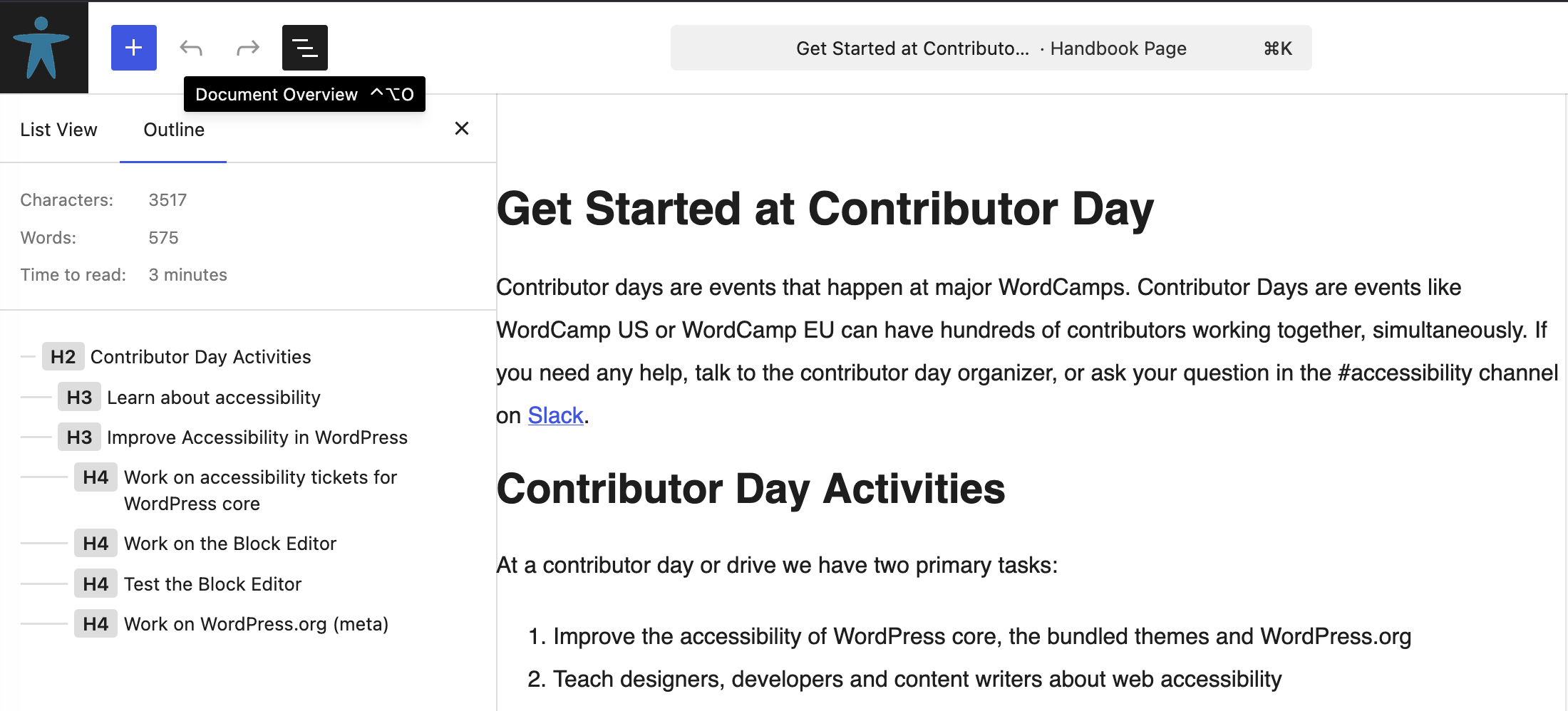
In WordPress, you can check the heading structure in the “Outline” tab. The outline tab is visible after clicking the button “Document Overview” in the top bar of the editor.
Use the browser tool HeadingsMap to test the heading structure of an entire web page:
Note: If you use a headings validation tool, a warning may pop up when the first heading is not an H1. This only applies when your web page needs to comply with WCAG 2 AAA (triple A). The global web standard is WCAG 2 AA (double A) and starting with an H2 (for e.g. the navigation) is allowed at the AA standard.
Resources
WCAG Success Criteria for the heading structure
Using a meaningful heading structure is necessary to meet the WCAG success criteria:
- WCAG 1.3.1 Info and Relationships (Level A).
- WCAG 2.4.6 Headings and Labels (Level AA).
- WCAG 2.4.10 Section Headings (Level AAA).
Other resources
- How to Properly Use Heading Tags in WordPress (H1-H6 Explained) by WPBeginner.
- Accessible heading structure by Rian Rietveld on the A11y Project.
- Headings and why you should use them by Brendan Reid on Yoast.